Path & Shape
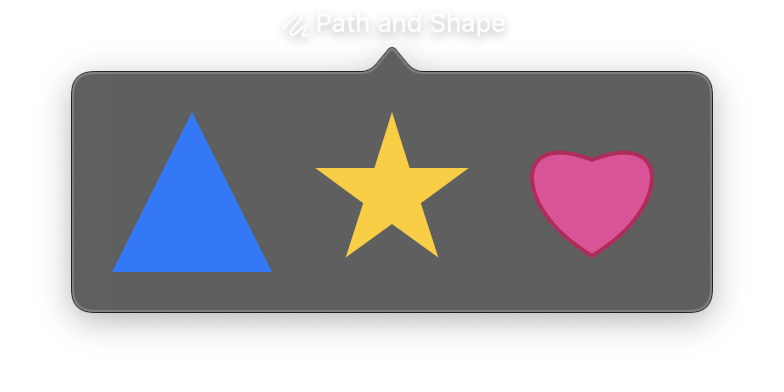
Path provides a fluent builder API for constructing custom shapes using lines, bezier curves, arcs, and geometric primitives. Shape is a View that renders a Path on screen, with support for fill colors, strokes, and gradient fills.
You can define custom shapes either inline by passing a Path to the Shape constructor, or by subclassing Shape and overriding build_path() for reusable shapes.
Constructor
nib.Path()
nib.Shape(
    path=None,
    view_box=None,
    fill=None,
    stroke=None,
    stroke_width=None,
    **modifiers,
)
Parameters
Shape
| Parameter | Type | Default | Description |
|---|---|---|---|
path |
Path |
None |
A Path object with path operations. If not provided, build_path() is called to generate the path. |
view_box |
tuple[float, float] |
None |
Coordinate system as (width, height). When set, the path is scaled to fit the view bounds while preserving aspect ratio. Overrides the class-level view_box if provided. |
fill |
str | Gradient |
None |
Fill color as a hex string, color name, or a gradient (LinearGradient, RadialGradient, etc.). |
stroke |
str |
None |
Stroke color as a hex string or color name. |
stroke_width |
float |
None |
Width of the stroke in points. |
**modifiers |
Common view modifiers: width, height, padding, opacity, etc. |
Path Methods
All Path methods return self for method chaining.
| Method | Description |
|---|---|
move_to(x, y) |
Move to a point without drawing. Starts a new subpath. |
line_to(x, y) |
Draw a straight line to a point. |
curve_to(x, y, control1, control2) |
Draw a cubic bezier curve. control1 and control2 are (x, y) tuples. |
quad_curve_to(x, y, control) |
Draw a quadratic bezier curve. control is an (x, y) tuple. |
arc(center, radius, start_angle, end_angle, clockwise=True) |
Draw an arc. center is an (x, y) tuple. Angles are in radians. |
close() |
Close the current subpath by drawing a line back to the starting point. |
add_rect(x, y, width, height) |
Add a rectangle subpath. |
add_rounded_rect(x, y, width, height, corner_radius) |
Add a rounded rectangle subpath. |
add_ellipse(x, y, width, height) |
Add an ellipse subpath within the bounding rectangle. |
add_circle(center_x, center_y, radius) |
Add a circle subpath. |
Examples
Triangle with inline path
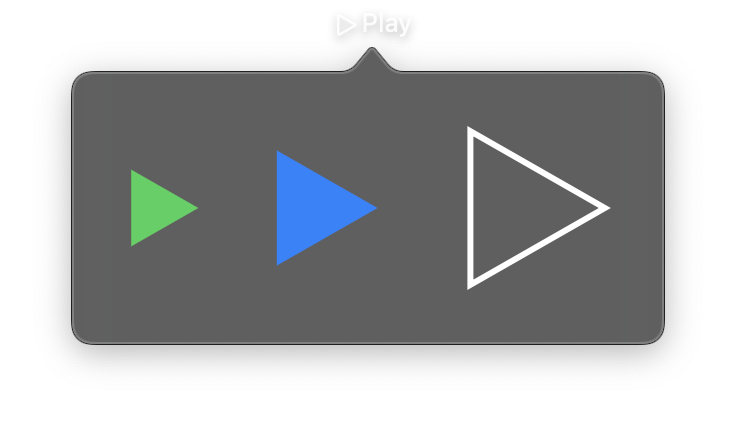
import nib


def main(app: nib.App):
    app.title = "Play"
    app.icon = nib.SFSymbol("play")

    play = nib.Path()
    play.move_to(20, 10)
    play.line_to(90, 50)
    play.line_to(20, 90)
    play.close()

    app.build(
        nib.HStack(
            controls=[
                nib.Shape(
                    path=play, view_box=(100, 100), fill="#30d158", width=48, height=48
                ),
                nib.Shape(
                    path=play, view_box=(100, 100), fill="#0a84ff", width=72, height=72
                ),
                nib.Shape(
                    path=play,
                    view_box=(100, 100),
                    stroke="#ffffff",
                    stroke_width=3,
                    width=96,
                    height=96,
                ),
            ],
            spacing=20,
            padding=20,
        )
    )


nib.run(main)
Reusable shape via subclass
Subclass Shape and override build_path() for reusable custom shapes. Set view_box as a class attribute to define the coordinate system.

import math

import nib


class Star(nib.Shape):
    view_box = (100, 100)

    def build_path(self, path):
        cx, cy, outer, inner = 50, 50, 50, 20
        for i in range(10):
            angle = math.pi / 2 + i * math.pi / 5
            r = outer if i % 2 == 0 else inner
            x = cx + r * math.cos(angle)
            y = cy - r * math.sin(angle)
            if i == 0:
                path.move_to(x, y)
            else:
                path.line_to(x, y)
        return path.close()


def main(app: nib.App):
    app.title = "Rating"
    app.icon = nib.SFSymbol("star")

    app.build(
        nib.VStack(
            controls=[
                nib.Text("4 of 5", font=nib.Font.HEADLINE),
                nib.HStack(
                    controls=[
                        Star(fill="#ffd60a", width=36, height=36) for _ in range(4)
                    ]
                    + [Star(stroke="#ffd60a", stroke_width=2, width=36, height=36)],
                    spacing=6,
                ),
            ],
            spacing=10,
            padding=20,
        )
    )


nib.run(main)
Related
- Draw Module:
nib.drawpath elements; Shape versus Canvas - Gradients: gradient views accepted by
fill - Canvas