Gradients
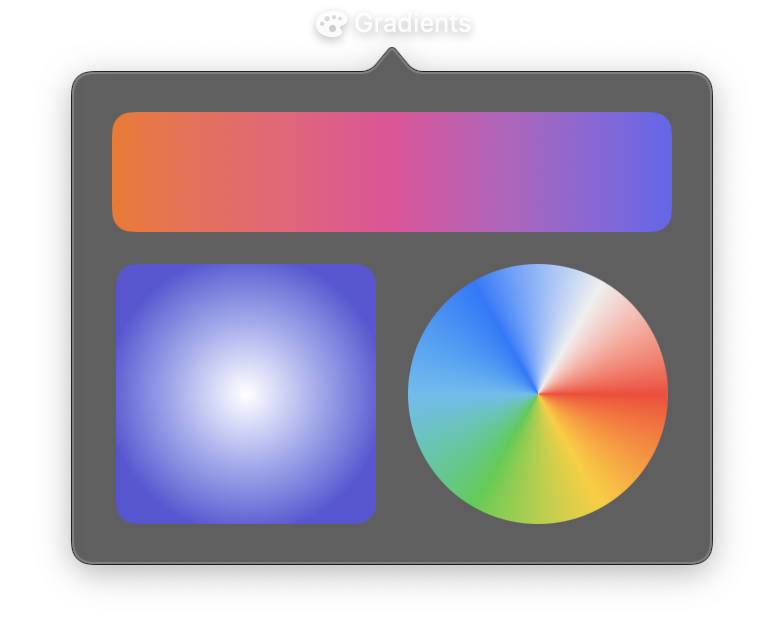
Gradient views create smooth color transitions that can be used as standalone views, backgrounds, or fills for custom shapes. Nib provides four gradient types: LinearGradient, RadialGradient, AngularGradient, and EllipticalGradient.
All gradients accept either a colors list (evenly distributed) or a stops list (explicit position control). Use one or the other, not both.
LinearGradient
Colors transition along a straight line from a start point to an end point. Points are specified in unit coordinates where (0, 0) is top-left and (1, 1) is bottom-right.
Constructor
nib.LinearGradient(
    colors=None,
    stops=None,
    start=(0.5, 0),
    end=(0.5, 1),
    **modifiers,
)
Parameters
| Parameter | Type | Default | Description |
|---|---|---|---|
colors |
list[str | Color] |
None |
Colors for the gradient, evenly distributed. Use this or stops, not both. |
stops |
list[tuple[float, str]] |
None |
List of (position, color) tuples for explicit control. Positions are 0.0 to 1.0. |
start |
tuple[float, float] |
(0.5, 0) |
Start point in unit coordinates. Default is top-center. |
end |
tuple[float, float] |
(0.5, 1) |
End point in unit coordinates. Default is bottom-center. |
**modifiers |
Common view modifiers: width, height, padding, opacity, etc. |
RadialGradient
Colors radiate outward from a center point in a circular pattern.
Constructor
nib.RadialGradient(
    colors=None,
    stops=None,
    center=(0.5, 0.5),
    start_radius=0,
    end_radius=100,
    **modifiers,
)
Parameters
| Parameter | Type | Default | Description |
|---|---|---|---|
colors |
list[str | Color] |
None |
Colors for the gradient, evenly distributed. |
stops |
list[tuple[float, str]] |
None |
List of (position, color) tuples for explicit control. |
center |
tuple[float, float] |
(0.5, 0.5) |
Center point in unit coordinates. |
start_radius |
float |
0 |
Inner radius where the gradient begins, in points. |
end_radius |
float |
100 |
Outer radius where the gradient ends, in points. |
**modifiers |
Common view modifiers. |
AngularGradient
Colors rotate around a center point, creating a color wheel or conic gradient effect.
Constructor
nib.AngularGradient(
    colors=None,
    stops=None,
    center=(0.5, 0.5),
    start_angle=0,
    end_angle=360,
    **modifiers,
)
Parameters
| Parameter | Type | Default | Description |
|---|---|---|---|
colors |
list[str | Color] |
None |
Colors for the gradient, evenly distributed. |
stops |
list[tuple[float, str]] |
None |
List of (position, color) tuples for explicit control. |
center |
tuple[float, float] |
(0.5, 0.5) |
Center point in unit coordinates. |
start_angle |
float |
0 |
Starting angle in degrees. |
end_angle |
float |
360 |
Ending angle in degrees. |
**modifiers |
Common view modifiers. |
EllipticalGradient
Colors radiate outward in an elliptical pattern that stretches to fill the view's frame, creating an elliptical pattern rather than circular.
Constructor
nib.EllipticalGradient(
    colors=None,
    stops=None,
    center=(0.5, 0.5),
    start_radius_fraction=0,
    end_radius_fraction=0.5,
    **modifiers,
)
Parameters
| Parameter | Type | Default | Description |
|---|---|---|---|
colors |
list[str | Color] |
None |
Colors for the gradient, evenly distributed. |
stops |
list[tuple[float, str]] |
None |
List of (position, color) tuples for explicit control. |
center |
tuple[float, float] |
(0.5, 0.5) |
Center point in unit coordinates. |
start_radius_fraction |
float |
0 |
Fraction of the view size where the gradient starts. |
end_radius_fraction |
float |
0.5 |
Fraction of the view size where the gradient ends. |
**modifiers |
Common view modifiers. |
Examples
Linear gradient background
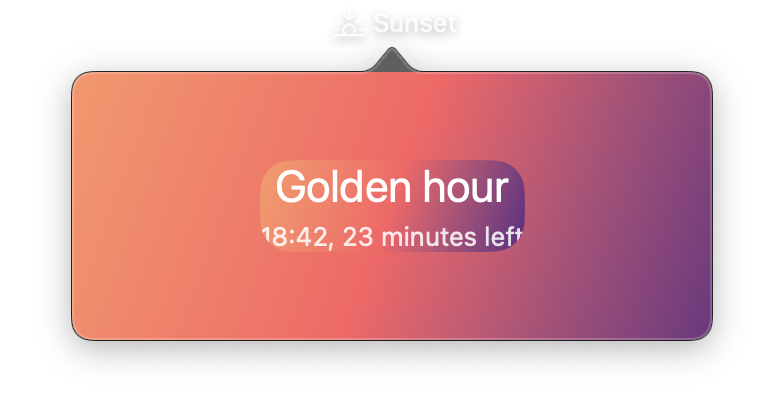
import nib


def main(app: nib.App):
    app.title = "Sunset"
    app.icon = nib.SFSymbol("sunset")
    app.width = 320

    app.build(
        nib.VStack(
            controls=[
                nib.Text(
                    "Golden hour", font=nib.Font.TITLE, foreground_color=nib.Color.WHITE
                ),
                nib.Text(
                    "18:42, 23 minutes left",
                    foreground_color=nib.Color.WHITE.with_opacity(0.85),
                ),
            ],
            spacing=4,
            padding=28,
            width=280,
            background=nib.LinearGradient(
                colors=["#ff9966", "#ff5e62", "#5f2c82"], start=(0, 0), end=(1, 1)
            ),
            corner_radius=16,
            margin=16,
        )
    )


nib.run(main)
Gradient with explicit stops
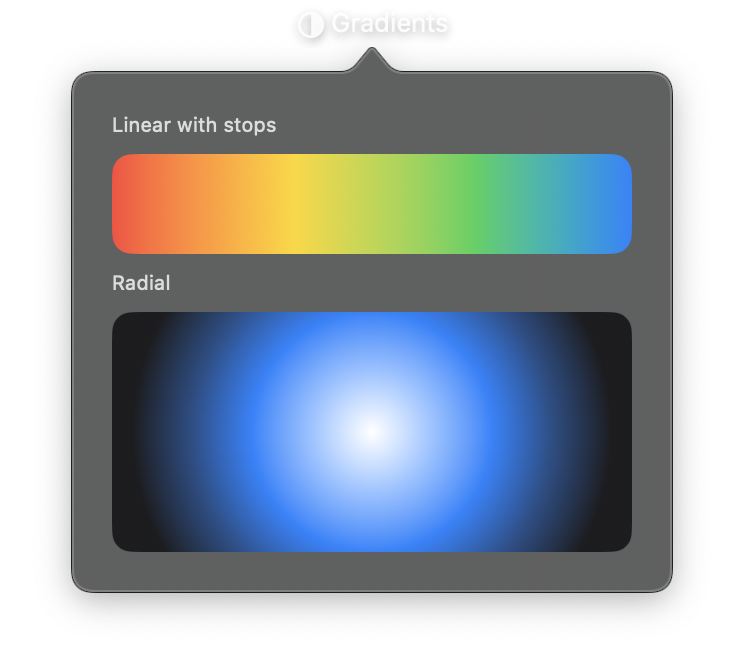
Control exactly where each color appears using stops.
import nib


def main(app: nib.App):
    app.title = "Gradients"
    app.icon = nib.SFSymbol("circle.lefthalf.filled")
    app.height = 270

    app.build(
        nib.VStack(
            controls=[
                nib.Text(
                    "Linear with stops",
                    font=nib.Font.CAPTION,
                    foreground_color=nib.Color.SECONDARY,
                ),
                nib.LinearGradient(
                    stops=[
                        (0.0, "#ff453a"),
                        (0.35, "#ffd60a"),
                        (0.7, "#30d158"),
                        (1.0, "#0a84ff"),
                    ],
                    start=(0, 0.5),
                    end=(1, 0.5),
                    width=260,
                    height=50,
                    corner_radius=10,
                ),
                nib.Text(
                    "Radial",
                    font=nib.Font.CAPTION,
                    foreground_color=nib.Color.SECONDARY,
                ),
                nib.RadialGradient(
                    colors=["#ffffff", "#0a84ff", "#1c1c1e"],
                    center=(0.5, 0.5),
                    start_radius=0,
                    end_radius=120,
                    width=260,
                    height=120,
                    corner_radius=10,
                ),
            ],
            spacing=8,
            padding=20,
            alignment=nib.Alignment.LEADING,
        )
    )


nib.run(main)
Related
- Styling
- Paint & Gradients:
nib.drawgradients - Color
- Path & Shape