Ellipse
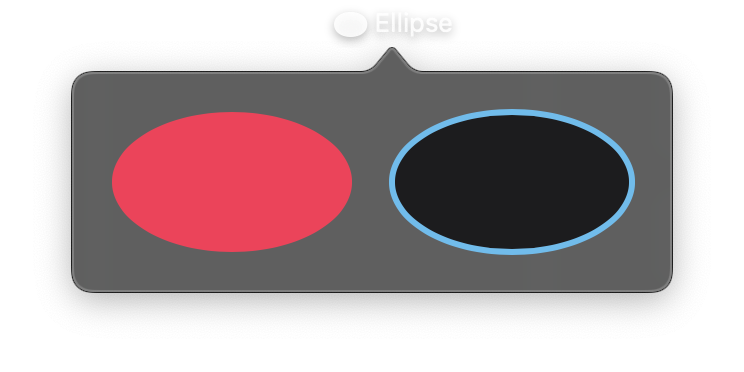
An oval shape that stretches to fill its frame with independent width and height dimensions. Unlike Circle which maintains a 1:1 aspect ratio, Ellipse can have different width and height values, creating an oval shape.
When width equals height, an Ellipse appears identical to a Circle.
Constructor
nib.Ellipse(
    fill=None,
    stroke_color=None,
    stroke_width=None,
    **modifiers,
)
Parameters
| Parameter | Type | Default | Description |
|---|---|---|---|
fill |
str | Color |
None |
Fill color for the ellipse interior. Accepts hex strings, named colors, or Color instances. |
stroke_color |
str | Color |
None |
Outline colour, drawn along the ellipse's edge. |
stroke_width |
float |
None |
Width of the stroke in points. |
**modifiers |
Common view modifiers: width, height, padding, opacity, animation, etc. |
Examples
Basic ellipses
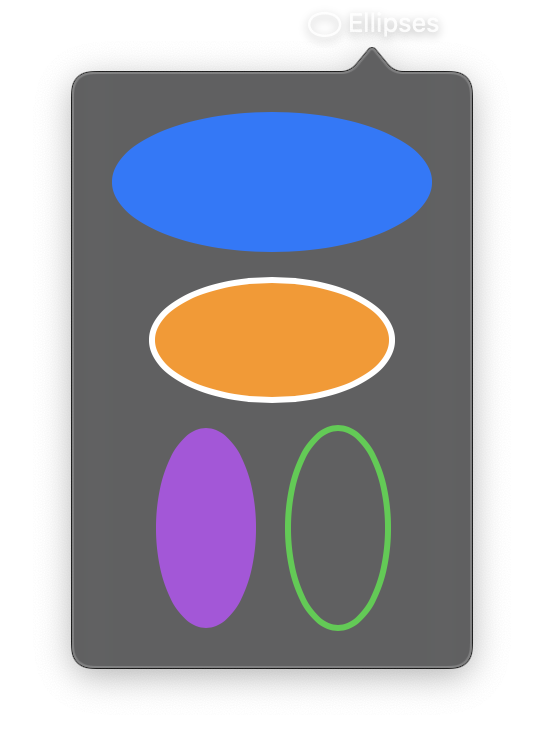
import nib


def main(app: nib.App):
    app.title = "Ellipses"
    app.icon = nib.SFSymbol("oval")
    app.height = 300

    app.build(
        nib.VStack(
            controls=[
                nib.Ellipse(fill=nib.Color.BLUE, width=160, height=70),
                nib.Ellipse(
                    fill=nib.Color.ORANGE,
                    stroke_color=nib.Color.WHITE,
                    stroke_width=3,
                    width=120,
                    height=60,
                ),
                nib.HStack(
                    controls=[
                        nib.Ellipse(fill=nib.Color.PURPLE, width=50, height=100),
                        nib.Ellipse(
                            stroke_color=nib.Color.GREEN,
                            stroke_width=3,
                            width=50,
                            height=100,
                        ),
                    ],
                    spacing=16,
                ),
            ],
            spacing=14,
            padding=20,
        )
    )


nib.run(main)
Ellipse as background
Use an Ellipse as a decorative background for text badges.
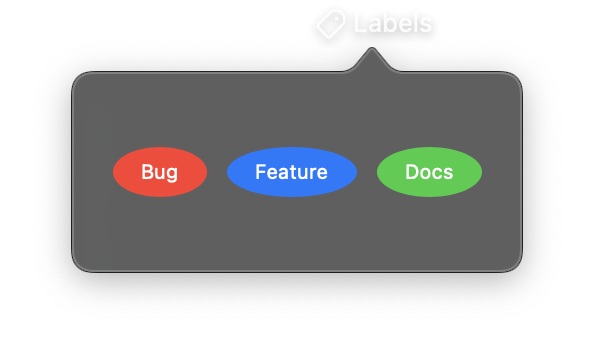
import nib


def main(app: nib.App):
    app.title = "Labels"
    app.icon = nib.SFSymbol("tag")

    def pill(text, color):
        return nib.Text(
            text,
            font=nib.Font.CAPTION,
            foreground_color=nib.Color.WHITE,
            padding={"horizontal": 14, "vertical": 6},
            background=nib.Ellipse(fill=color),
        )

    app.build(
        nib.HStack(
            controls=[
                pill("Bug", nib.Color.RED),
                pill("Feature", nib.Color.BLUE),
                pill("Docs", nib.Color.GREEN),
            ],
            spacing=10,
            padding=20,
        )
    )


nib.run(main)