Toggle
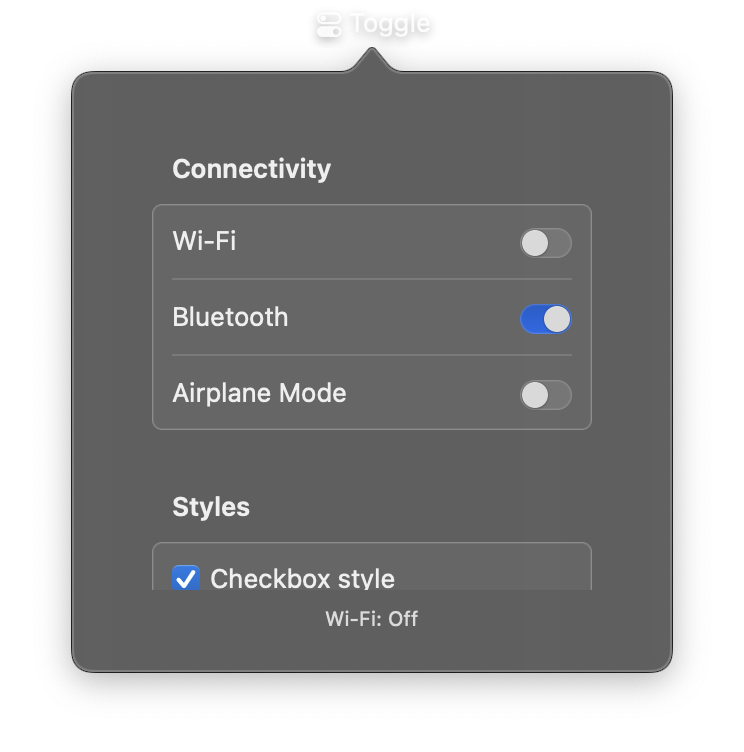
A control for switching between on and off states. Toggle provides a binary switch that users can tap to change. It can display a text label or custom content, and triggers a callback when the state changes.
Constructor
nib.Toggle(
    label=None,
    is_on=False,
    on_change=None,
    content=None,
    style=None,
    tint=None,
    disabled=False,
    **modifiers,
)
Parameters
| Parameter | Type | Default | Description |
|---|---|---|---|
label |
str |
None |
Text displayed next to the toggle switch. |
is_on |
bool |
False |
Initial on/off state. True for on, False for off. |
on_change |
Callable[[bool], None] |
None |
Callback called when the toggle state changes. Receives a boolean indicating the new state. |
content |
View |
None |
Custom view to display as the toggle label. Alternative to label. |
style |
ToggleStyle | str |
None |
Visual style. Options: ToggleStyle.automatic, ToggleStyle.switch, ToggleStyle.checkbox, ToggleStyle.button. |
tint |
Color | str |
None |
Tint color for the toggle in the "on" state. Accepts a Color enum, hex string, or RGB tuple. |
disabled |
bool |
False |
Whether the toggle is disabled and non-interactive. |
**modifiers |
Common view modifiers: padding, background, foreground_color, opacity, etc. |
Examples
Basic toggle switch
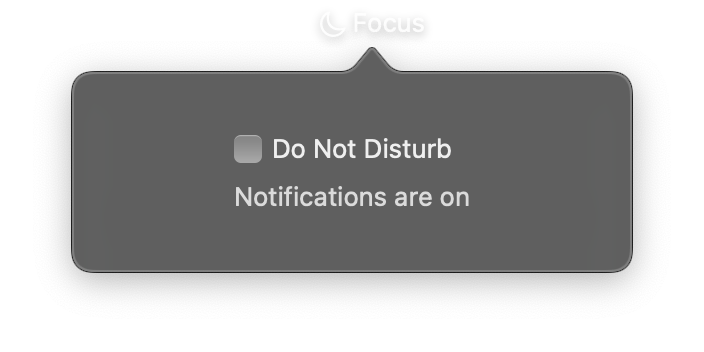
import nib


def main(app: nib.App):
    app.title = "Focus"
    app.icon = nib.SFSymbol("moon")

    status = nib.Text("Notifications are on", foreground_color=nib.Color.SECONDARY)

    def on_toggle(is_on):
        status.content = (
            "Notifications are silenced" if is_on else "Notifications are on"
        )

    app.build(
        nib.VStack(
            controls=[
                nib.Toggle("Do Not Disturb", is_on=False, on_change=on_toggle),
                status,
            ],
            spacing=8,
            padding=20,
            width=240,
            alignment=nib.Alignment.LEADING,
        )
    )


nib.run(main)
Settings panel with styled toggles
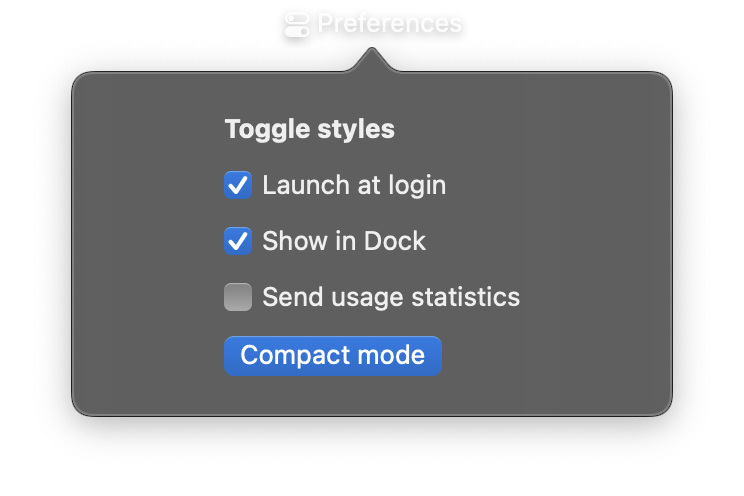
import nib


def main(app: nib.App):
    app.title = "Preferences"
    app.icon = nib.SFSymbol("switch.2")
    app.height = 230

    app.build(
        nib.VStack(
            controls=[
                nib.Text("Toggle styles", font=nib.Font.HEADLINE),
                nib.Toggle("Launch at login", is_on=True, tint=nib.Color.BLUE),
                nib.Toggle("Show in Dock", is_on=False, tint=nib.Color.ORANGE),
                nib.Toggle(
                    "Send usage statistics", is_on=False, style=nib.ToggleStyle.CHECKBOX
                ),
                nib.Toggle("Compact mode", is_on=True, style=nib.ToggleStyle.BUTTON),
            ],
            spacing=12,
            padding=20,
            width=260,
            alignment=nib.Alignment.LEADING,
        )
    )


nib.run(main)