SecureField
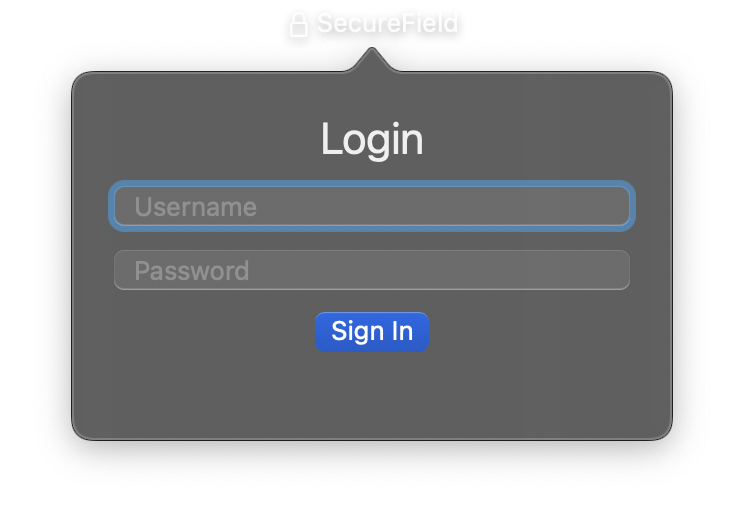
A single-line text input that masks entered characters, suitable for passwords and other sensitive data. SecureField behaves like TextField but obscures the input so that characters are not visible on screen.
Constructor
nib.SecureField(
    placeholder="",
    value="",
    on_change=None,
    on_submit=None,
    style=None,
    disabled=False,
    **modifiers,
)
Parameters
| Parameter | Type | Default | Description |
|---|---|---|---|
placeholder |
str |
"" |
Hint text displayed when the field is empty. |
value |
str |
"" |
Initial text value (masked in the UI). Use the value property for reactive updates. |
on_change |
Callable[[str], None] |
None |
Callback called when text changes. Receives the new text value as a string argument. |
on_submit |
Callable[[str], None] |
None |
Callback called when the user presses Return/Enter. Receives the current text value. |
style |
TextFieldStyle | str |
None |
Visual style. Options: TextFieldStyle.automatic, TextFieldStyle.plain, TextFieldStyle.roundedBorder. |
disabled |
bool |
False |
Whether the secure field is disabled and non-interactive. |
**modifiers |
Common view modifiers: padding, background, foreground_color, font, opacity, width, etc. |
Mutable Properties
| Property | Type | Description |
|---|---|---|
value |
str |
Get or set the current text (masked in the UI). Setting triggers a UI update. |
Methods
| Method | Description |
|---|---|
focus() |
Make the field first responder. |
blur() |
Resign first responder. |
select_all() |
Select all text. The field must be focused. |
Examples
Password input
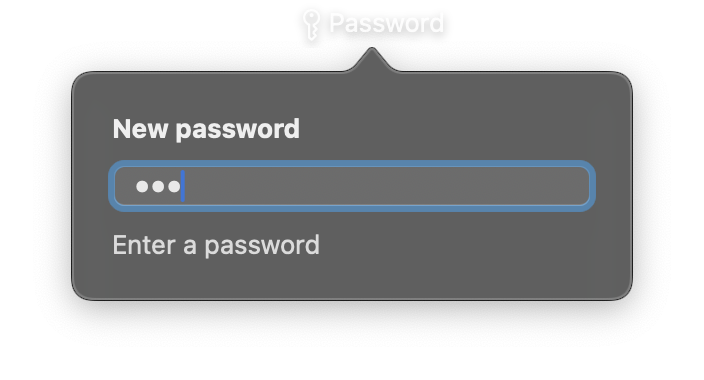
import nib


def main(app: nib.App):
    app.title = "Password"
    app.icon = nib.SFSymbol("key")

    strength = nib.Text("Enter a password", foreground_color=nib.Color.SECONDARY)

    def rate(value):
        score = sum(
            [
                len(value) >= 8,
                any(c.isdigit() for c in value),
                any(not c.isalnum() for c in value),
            ]
        )
        strength.content = ["Enter a password", "Weak", "Fair", "Strong"][
            score if value else 0
        ]

    app.build(
        nib.VStack(
            controls=[
                nib.Text("New password", font=nib.Font.HEADLINE),
                nib.SecureField(
                    placeholder="At least 8 characters",
                    value="",
                    on_change=rate,
                    style=nib.TextFieldStyle.ROUNDED_BORDER,
                    width=240,
                ),
                strength,
            ],
            spacing=10,
            padding=20,
            alignment=nib.Alignment.LEADING,
        )
    )


nib.run(main)
Login form with submit
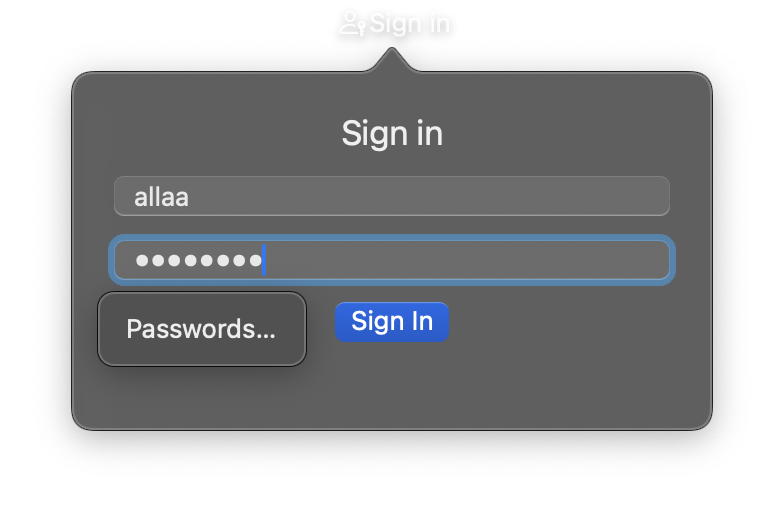
import nib


def main(app: nib.App):
    app.title = "Sign in"
    app.icon = nib.SFSymbol("person.badge.key")
    app.width = 320
    app.height = 240

    username = nib.TextField(
        placeholder="Username", value="", style=nib.TextFieldStyle.ROUNDED_BORDER
    )
    password = nib.SecureField(
        placeholder="Password", value="", style=nib.TextFieldStyle.ROUNDED_BORDER
    )
    status = nib.Text("", foreground_color=nib.Color.SECONDARY)

    def login():
        if username.value and password.value:
            status.content = f"Signing in as {username.value}"
        else:
            status.content = "Both fields are required"

    app.build(
        nib.VStack(
            controls=[
                nib.Text("Sign in", font=nib.Font.TITLE2),
                username,
                password,
                nib.Button(
                    "Sign In", action=login, style=nib.ButtonStyle.BORDERED_PROMINENT
                ),
                status,
            ],
            spacing=10,
            padding=20,
            width=280,
        )
    )


nib.run(main)