VStack
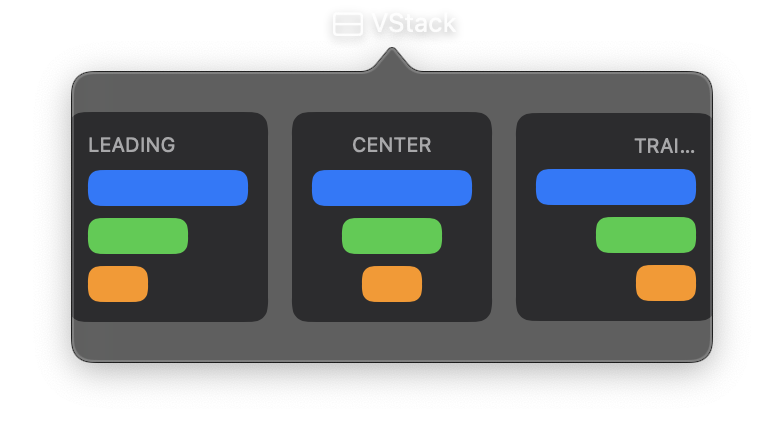
A vertical stack layout that arranges its child views from top to bottom. VStack is one of the primary layout containers in Nib and is used to build most vertical interfaces.
Children are rendered in the order they appear in the controls list, with optional spacing between them and configurable horizontal alignment.
Constructor
nib.VStack(
    controls=None,
    spacing=None,
    alignment=None,
    **modifiers,
)
Parameters
| Parameter | Type | Default | Description |
|---|---|---|---|
controls |
list[View] |
None |
Child views to arrange vertically, rendered from top to bottom. |
spacing |
float |
None |
Distance in points between adjacent child views. When None, the system default spacing is used. |
alignment |
HorizontalAlignment | str |
None |
Horizontal alignment of children within the stack. Options: HorizontalAlignment.LEADING, HorizontalAlignment.CENTER, HorizontalAlignment.TRAILING. Defaults to center. |
**modifiers |
Common view modifiers: padding, background, foreground_color, opacity, width, height, on_drop, on_hover, on_click, etc. |
Mutable Properties
| Property | Type | Description |
|---|---|---|
controls |
list[View] |
Get or set the child views. Setting triggers a UI update. |
Examples
Basic vertical layout
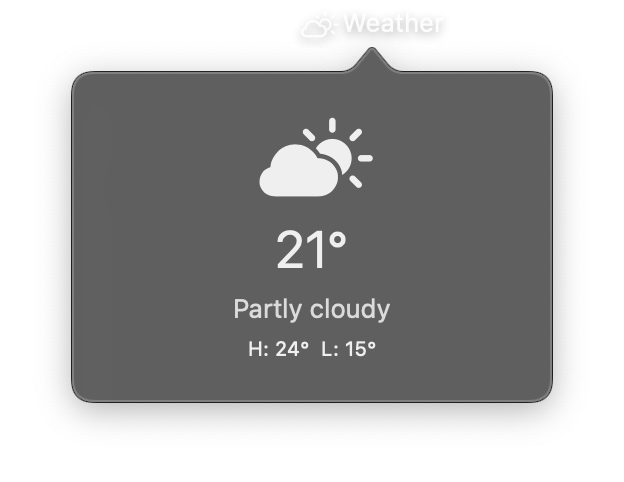
import nib


def main(app: nib.App):
    app.title = "Weather"
    app.icon = nib.SFSymbol("cloud.sun")

    app.build(
        nib.VStack(
            controls=[
                nib.SFSymbol("cloud.sun.fill", font=nib.Font.system(40)),
                nib.Text("21°", font=nib.Font.LARGE_TITLE),
                nib.Text("Partly cloudy", foreground_color=nib.Color.SECONDARY),
                nib.Text("H: 24°  L: 15°", font=nib.Font.CAPTION),
            ],
            spacing=6,
            padding=20,
            width=200,
        )
    )


nib.run(main)
Left-aligned stack with styling
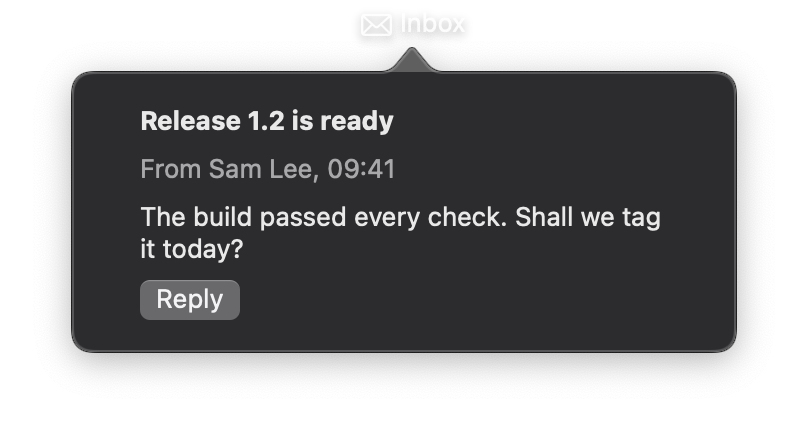
import nib


def main(app: nib.App):
    app.title = "Inbox"
    app.icon = nib.SFSymbol("envelope")
    app.width = 340
    app.height = 200

    app.build(
        nib.VStack(
            controls=[
                nib.Text("Release 1.2 is ready", font=nib.Font.HEADLINE),
                nib.Text("From Sam Lee, 09:41", foreground_color=nib.Color.SECONDARY),
                nib.Text("The build passed every check. Shall we tag it today?"),
                nib.Button(
                    "Reply", action=lambda: None, style=nib.ButtonStyle.BORDERED
                ),
            ],
            alignment=nib.HorizontalAlignment.LEADING,
            spacing=8,
            padding=16,
            width=300,
            background=nib.Rectangle(corner_radius=10, fill="#2c2c2e"),
        )
    )


nib.run(main)