HStack
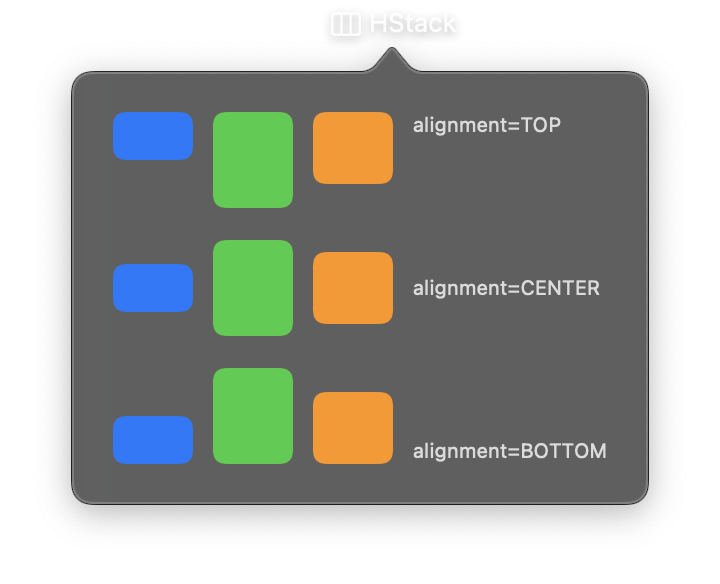
A horizontal stack layout that arranges its child views from leading to trailing (left to right in left-to-right locales). HStack is one of the primary layout containers in Nib, commonly used for toolbars, icon-label pairs, and side-by-side content.
Children are rendered in the order they appear in the controls list, with optional spacing between them and configurable vertical alignment.
Constructor
nib.HStack(
    controls=None,
    spacing=None,
    alignment=None,
    **modifiers,
)
Parameters
| Parameter | Type | Default | Description |
|---|---|---|---|
controls |
list[View] |
None |
Child views to arrange horizontally, rendered from leading to trailing. |
spacing |
float |
None |
Distance in points between adjacent child views. When None, the system default spacing is used. |
alignment |
VerticalAlignment | str |
None |
Vertical alignment of children within the stack. Options: VerticalAlignment.TOP, VerticalAlignment.CENTER, VerticalAlignment.BOTTOM. Defaults to center. |
**modifiers |
Common view modifiers: padding, background, foreground_color, opacity, width, height, on_drop, on_hover, on_click, etc. |
Mutable Properties
| Property | Type | Description |
|---|---|---|
controls |
list[View] |
Get or set the child views. Setting triggers a UI update. |
Examples
Icon with label
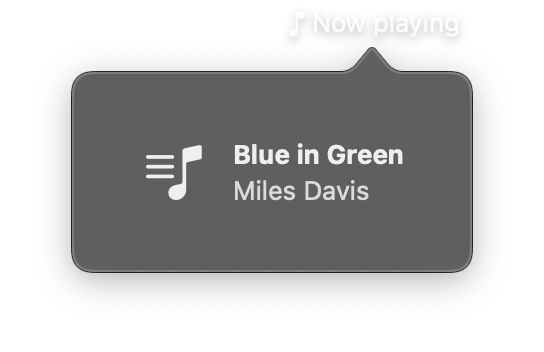
import nib


def main(app: nib.App):
    app.title = "Now playing"
    app.icon = nib.SFSymbol("music.note")

    app.build(
        nib.HStack(
            controls=[
                nib.SFSymbol("music.note.list", font=nib.Font.system(28)),
                nib.VStack(
                    controls=[
                        nib.Text("Blue in Green", font=nib.Font.HEADLINE),
                        nib.Text("Miles Davis", foreground_color=nib.Color.SECONDARY),
                    ],
                    spacing=2,
                    alignment=nib.Alignment.LEADING,
                ),
            ],
            spacing=12,
            alignment=nib.VerticalAlignment.CENTER,
            padding=16,
        )
    )


nib.run(main)
Toolbar with spacers
Use Spacer to push elements to opposite edges. Multiple spacers divide available space equally.
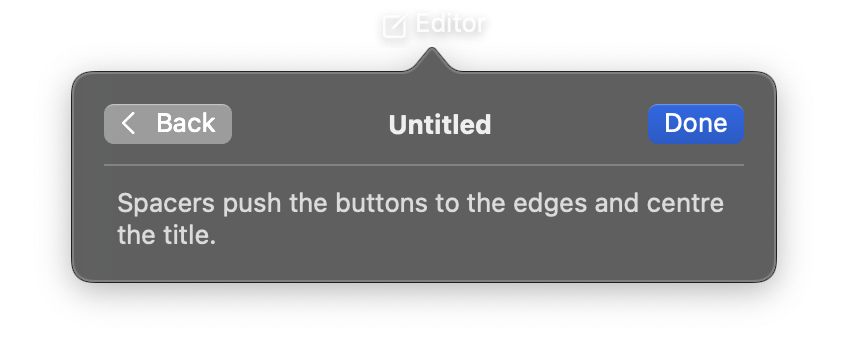
import nib


def main(app: nib.App):
    app.title = "Editor"
    app.icon = nib.SFSymbol("square.and.pencil")
    app.width = 360

    app.build(
        nib.VStack(
            controls=[
                nib.HStack(
                    controls=[
                        nib.Button("Back", icon="chevron.left", action=lambda: None),
                        nib.Spacer(),
                        nib.Text("Untitled", font=nib.Font.HEADLINE),
                        nib.Spacer(),
                        nib.Button(
                            "Done",
                            action=lambda: None,
                            style=nib.ButtonStyle.BORDERED_PROMINENT,
                        ),
                    ],
                    spacing=8,
                ),
                nib.Divider(),
                nib.Text(
                    "Spacers push the buttons to the edges and centre the title.",
                    foreground_color=nib.Color.SECONDARY,
                ),
            ],
            spacing=10,
            padding=16,
            width=320,
        )
    )


nib.run(main)