Form
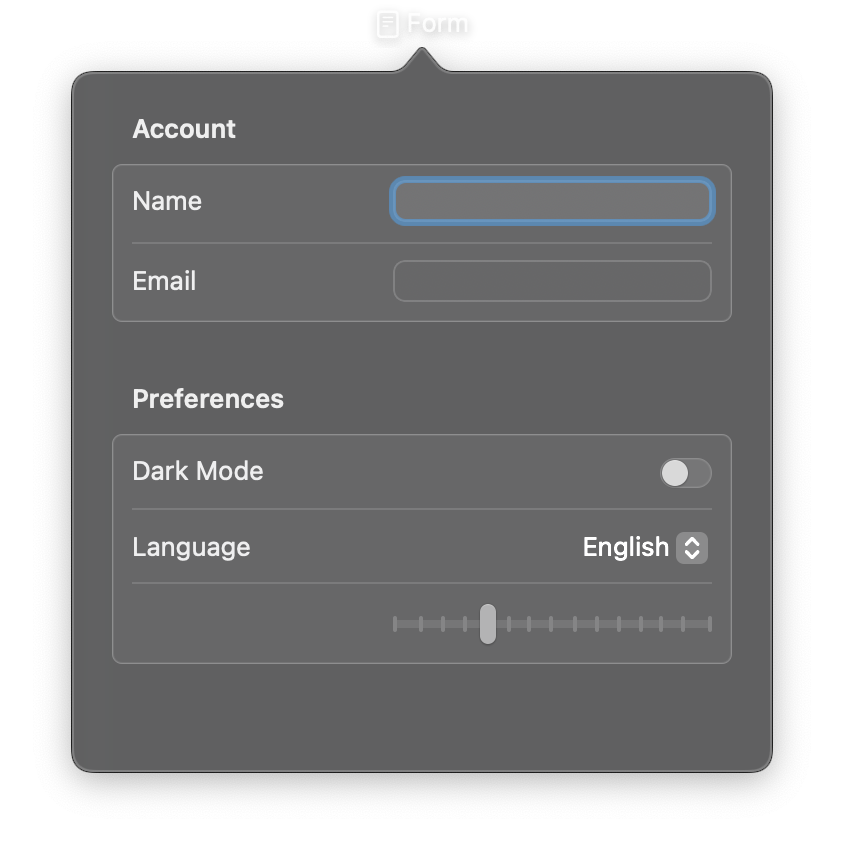
A container for grouping data-entry controls. On macOS, Form typically displays as a two-column layout with labels on the left and controls on the right, providing a clean and consistent appearance for settings and preferences interfaces.
Form supports different visual styles and works well with Section for organizing controls into groups.
Constructor
nib.Form(
    controls=None,
    style=None,
    **modifiers,
)
Parameters
| Parameter | Type | Default | Description |
|---|---|---|---|
controls |
list[View] |
None |
Child views to display within the form. Typically includes controls like Toggle, Picker, TextField, Slider, and Section for grouping. |
style |
FormStyle | str |
None |
The visual style for the form. Options: FormStyle.AUTOMATIC (platform default), FormStyle.COLUMNS (two-column layout, macOS default), FormStyle.GROUPED (grouped sections with visual separation). |
**modifiers |
Common view modifiers: padding, background, foreground_color, opacity, width, height, etc. |
Examples
Basic settings form
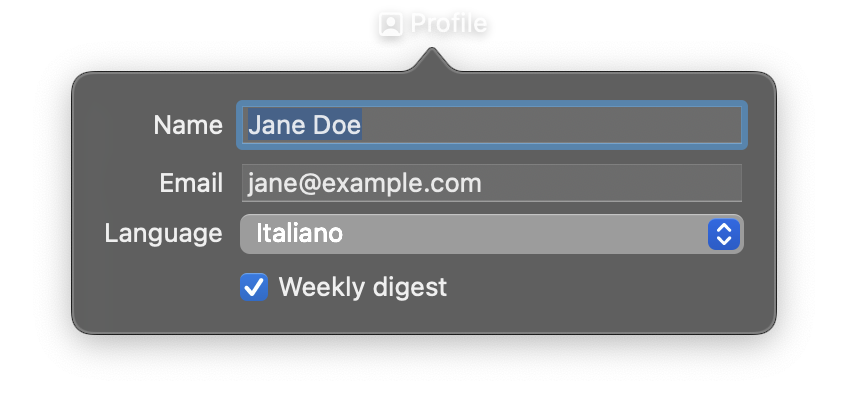
import nib


def main(app: nib.App):
    app.title = "Profile"
    app.icon = nib.SFSymbol("person.crop.square")
    app.width = 360
    app.height = 200

    app.build(
        nib.Form(
            controls=[
                nib.TextField("Name", value="Jane Doe"),
                nib.TextField("Email", value="jane@example.com"),
                nib.Picker(
                    "Language",
                    selection="English",
                    options=["English", "Italiano", "Español"],
                ),
                nib.Toggle("Weekly digest", is_on=True),
            ],
            style=nib.FormStyle.COLUMNS,
            padding=16,
            width=320,
        )
    )


nib.run(main)
Form with grouped sections
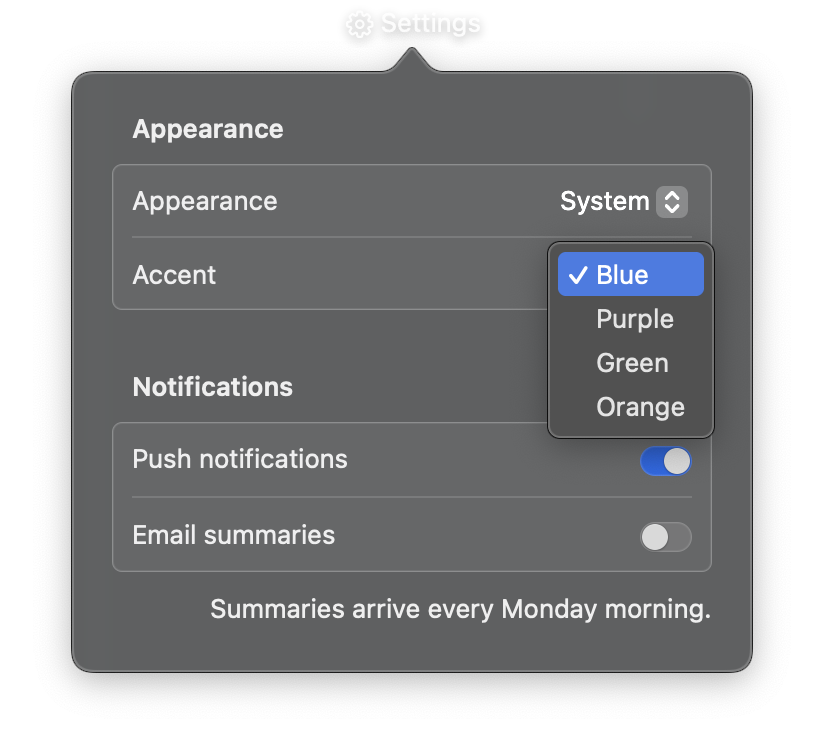
import nib


def main(app: nib.App):
    app.title = "Settings"
    app.icon = nib.SFSymbol("gearshape")
    app.width = 340
    app.height = 300

    app.build(
        nib.Form(
            controls=[
                nib.Section(
                    controls=[
                        nib.Picker(
                            "Appearance",
                            selection="System",
                            options=["System", "Light", "Dark"],
                        ),
                        nib.Picker(
                            "Accent",
                            selection="Blue",
                            options=["Blue", "Purple", "Green", "Orange"],
                        ),
                    ],
                    header="Appearance",
                ),
                nib.Section(
                    controls=[
                        nib.Toggle("Push notifications", is_on=True),
                        nib.Toggle("Email summaries", is_on=False),
                    ],
                    header="Notifications",
                    footer="Summaries arrive every Monday morning.",
                ),
            ],
            style=nib.FormStyle.GROUPED,
        )
    )


nib.run(main)