TextEditor
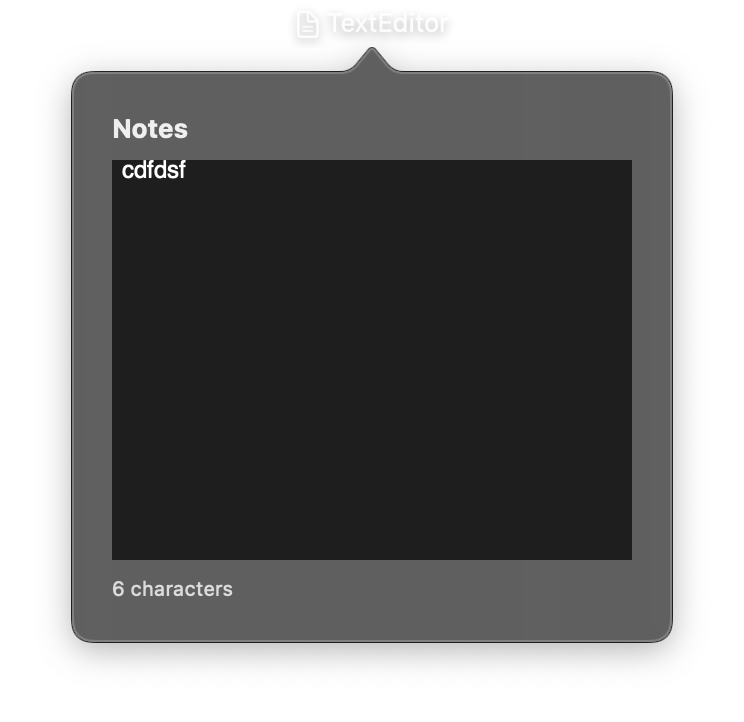
A multi-line text editing view, similar to an HTML <textarea>. TextEditor is suited for editing longer content such as notes, descriptions, or code. The text property is reactive. Assigning a new value triggers an immediate UI update.
Constructor
nib.TextEditor(
    value="",
    placeholder=None,
    on_change=None,
    style=None,
    font=None,
    foreground_color=None,
    line_limit=None,
    scrolls_disabled=False,
    content_background=None,
    **modifiers,
)
Parameters
| Parameter | Type | Default | Description |
|---|---|---|---|
value |
str |
"" |
Initial text. text= is a deprecated alias. |
placeholder |
str |
None |
Placeholder text displayed when the editor is empty (macOS 14+). |
on_change |
Callable[[str], None] |
None |
Callback called when text changes. Receives the new text as a string argument. |
style |
TextEditorStyle |
None |
Comprehensive style configuration including font, colors, line spacing, alignment, and editor appearance. |
font |
Font |
None |
Text font. Overridden by style.font if both are provided. |
foreground_color |
Color | str |
None |
Text color. Overridden by style.foreground_color if both are provided. |
line_limit |
int |
None |
Maximum number of visible lines. style takes precedence. |
scrolls_disabled |
bool |
False |
Disable scrolling. style takes precedence. |
content_background |
Color | str | False |
None |
Editor background colour. False hides it. style takes precedence. |
**modifiers |
Common view modifiers: padding, background, opacity, width, height, etc. |
Mutable Properties
| Property | Type | Description |
|---|---|---|
value |
str |
Get or set the text. Setting triggers a UI update. text is a deprecated alias. |
placeholder |
str |
Get or set the placeholder text. Setting triggers a UI update. |
style |
TextEditorStyle |
Get or set the style configuration. Setting triggers a UI update. |
Methods
| Method | Description |
|---|---|
focus() |
Make the editor first responder. |
blur() |
Resign first responder. |
select_all() |
Select all text. The field must be focused. |
Examples
Simple note editor
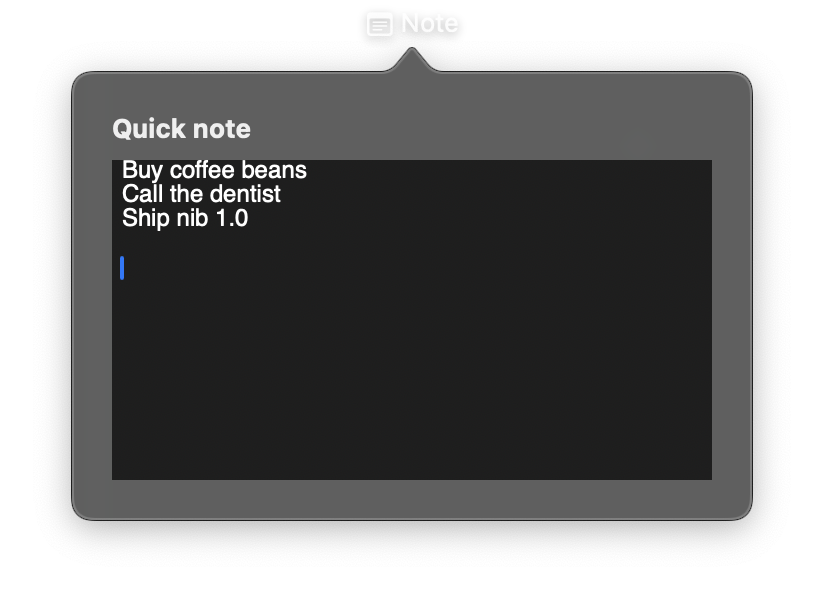
import nib


def main(app: nib.App):
    app.title = "Note"
    app.icon = nib.SFSymbol("note.text")
    app.width = 340
    app.height = 240

    app.build(
        nib.VStack(
            controls=[
                nib.Text("Quick note", font=nib.Font.HEADLINE),
                nib.TextEditor(
                    value="Buy coffee beans\nCall the dentist\nShip nib 1.0",
                    width=300,
                    height=160,
                ),
            ],
            spacing=8,
            padding=20,
            alignment=nib.Alignment.LEADING,
        )
    )


nib.run(main)
Editor with change tracking
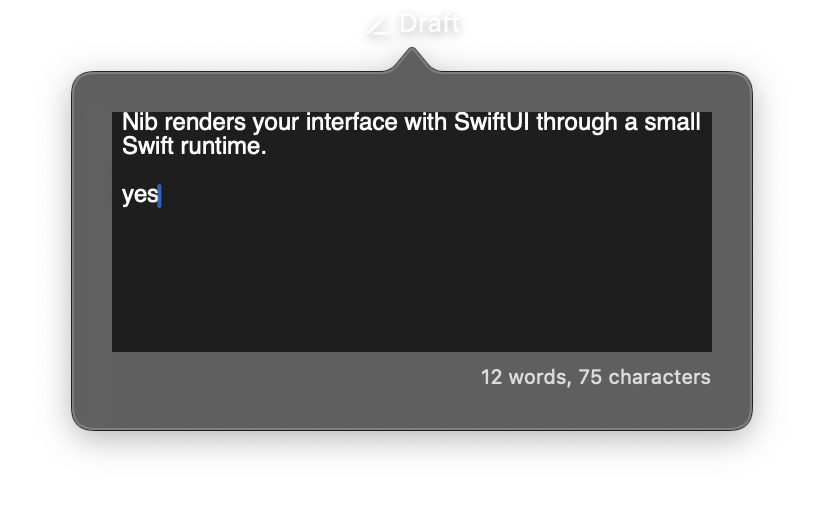
import nib


def main(app: nib.App):
    app.title = "Draft"
    app.icon = nib.SFSymbol("pencil.line")
    app.width = 340
    app.height = 200

    draft = "Nib renders your interface with SwiftUI through a small Swift runtime."
    counter = nib.Text("", font=nib.Font.CAPTION, foreground_color=nib.Color.SECONDARY)

    def update(text):
        counter.content = f"{len(text.split())} words, {len(text)} characters"

    update(draft)

    app.build(
        nib.VStack(
            controls=[
                nib.TextEditor(value=draft, on_change=update, width=300, height=120),
                counter,
            ],
            spacing=6,
            padding=20,
            alignment=nib.Alignment.TRAILING,
        )
    )


nib.run(main)
Related
- TextField
- Markdown: Markdown rendering
- Style Enums:
EditorStyle