Canvas
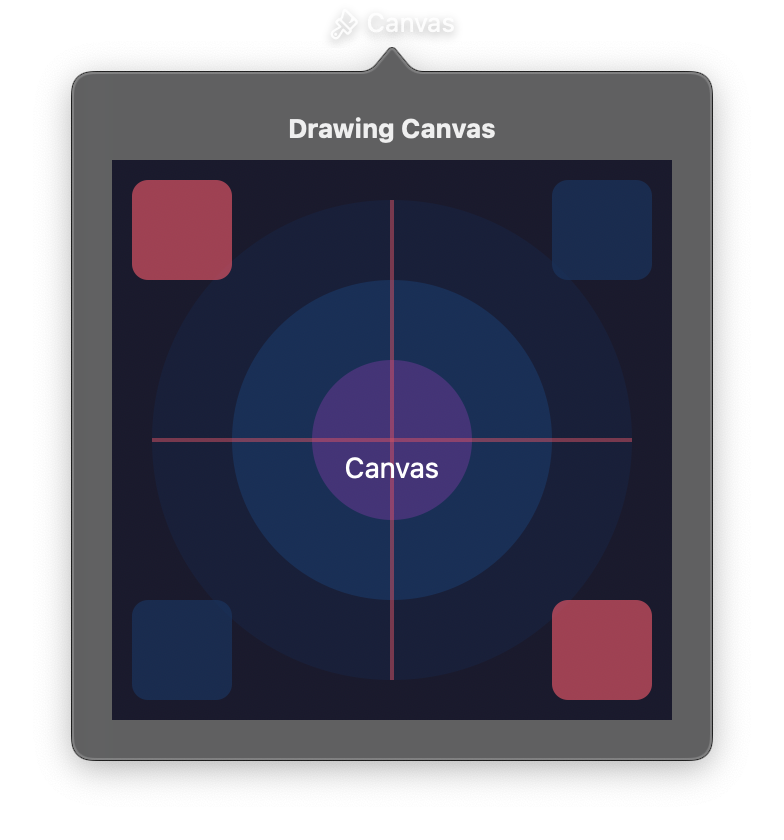
A drawing surface for freeform 2D rendering using Core Graphics. Canvas accepts a list of declarative drawing commands (shapes, images, text) and renders them with GPU acceleration on macOS.
The canvas is reactive. Calling draw(), append(), or clear() triggers an immediate re-render. Gesture callbacks enable interactive drawing applications such as freehand sketching or annotation tools.
For the full list of drawing commands, see the Draw Module Reference.
Constructor
nib.Canvas(
    width=100,
    height=100,
    commands=None,
    background_color=None,
    enable_gestures=False,
    on_pan_start=None,
    on_pan_update=None,
    on_pan_end=None,
    on_hover=None,
    **modifiers,
)
Parameters
| Parameter | Type | Default | Description |
|---|---|---|---|
width |
float |
100 |
Width of the canvas drawing area in points. |
height |
float |
100 |
Height of the canvas drawing area in points. |
commands |
list[DrawCommand] |
None |
Initial list of drawing commands to render. |
background_color |
str |
None |
Background color as a hex string (e.g., "#1a1a1a"). None for transparent. |
enable_gestures |
bool |
False |
Enable pan/hover gesture tracking. Automatically enabled when any gesture callback is set. |
on_pan_start |
Callable[[PanEvent], None] |
None |
Callback invoked when mouse/pen is pressed down on the canvas. |
on_pan_update |
Callable[[PanEvent], None] |
None |
Callback invoked when mouse/pen is dragged across the canvas. |
on_pan_end |
Callable[[PanEvent], None] |
None |
Callback invoked when mouse/pen is released. |
on_hover |
Callable[[PanEvent], None] |
None |
Callback invoked when the mouse moves over the canvas without pressing. |
**modifiers |
Common view modifiers: padding, opacity, corner_radius, etc. |
Mutable Properties
| Property | Type | Description |
|---|---|---|
canvas_width |
float |
Get or set the drawing area width. Setting triggers a re-render. |
canvas_height |
float |
Get or set the drawing area height. Setting triggers a re-render. |
background_color |
str | None |
Get or set the background color. |
commands |
list[DrawCommand] |
Get the current list of drawing commands (read-only). |
on_pan_start |
Callable | None |
Get or set the pan start callback. Setting a callback auto-enables gestures. |
on_pan_update |
Callable | None |
Get or set the pan update callback. |
on_pan_end |
Callable | None |
Get or set the pan end callback. |
on_hover |
Callable | None |
Get or set the hover callback. |
Methods
| Method | Signature | Description |
|---|---|---|
draw |
draw(commands: list[DrawCommand]) |
Replace all drawing commands and re-render. |
append |
append(command: DrawCommand) |
Add a single drawing command and re-render. |
clear |
clear() |
Remove all drawing commands and re-render. |
PanEvent
A dataclass passed to gesture callbacks containing the pointer position.
| Field | Type | Description |
|---|---|---|
x |
float |
X coordinate of the event in canvas coordinates. |
y |
float |
Y coordinate of the event in canvas coordinates. |
Examples
Basic drawing
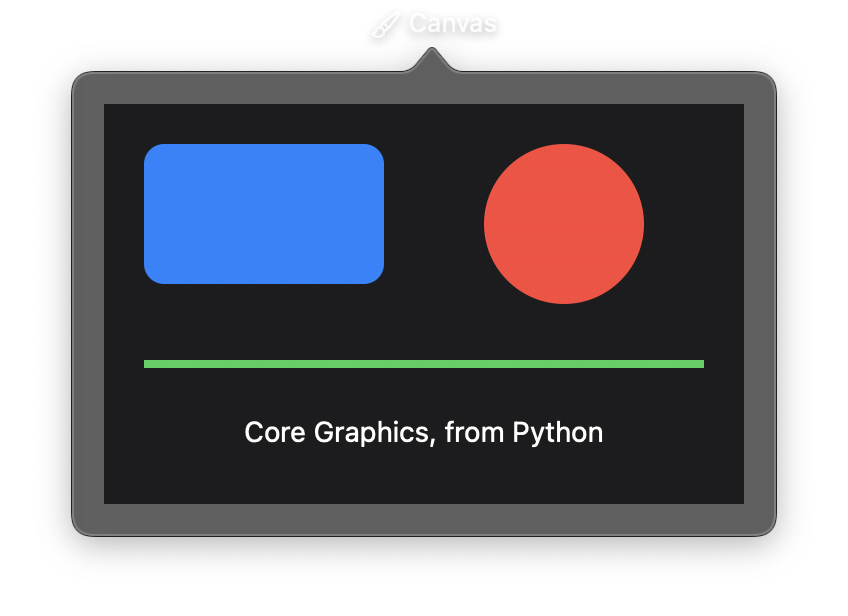
import nib


def main(app: nib.App):
    app.title = "Canvas"
    app.icon = nib.SFSymbol("paintbrush.pointed")
    app.width = 360
    app.height = 240

    canvas = nib.Canvas(width=320, height=200, background_color="#1c1c1e")
    canvas.draw(
        [
            nib.draw.Rect(
                x=20, y=20, width=120, height=70, corner_radius=10, fill="#0a84ff"
            ),
            nib.draw.Circle(cx=230, cy=60, radius=40, fill="#ff453a"),
            nib.draw.Line(
                x1=20, y1=130, x2=300, y2=130, stroke="#30d158", stroke_width=4
            ),
            nib.draw.Text(
                "Core Graphics, from Python",
                x=160,
                y=155,
                fill="#ffffff",
                alignment=nib.HorizontalAlignment.CENTER,
            ),
        ]
    )

    app.build(nib.VStack(controls=[canvas], padding=16))


nib.run(main)
Freehand drawing with gestures
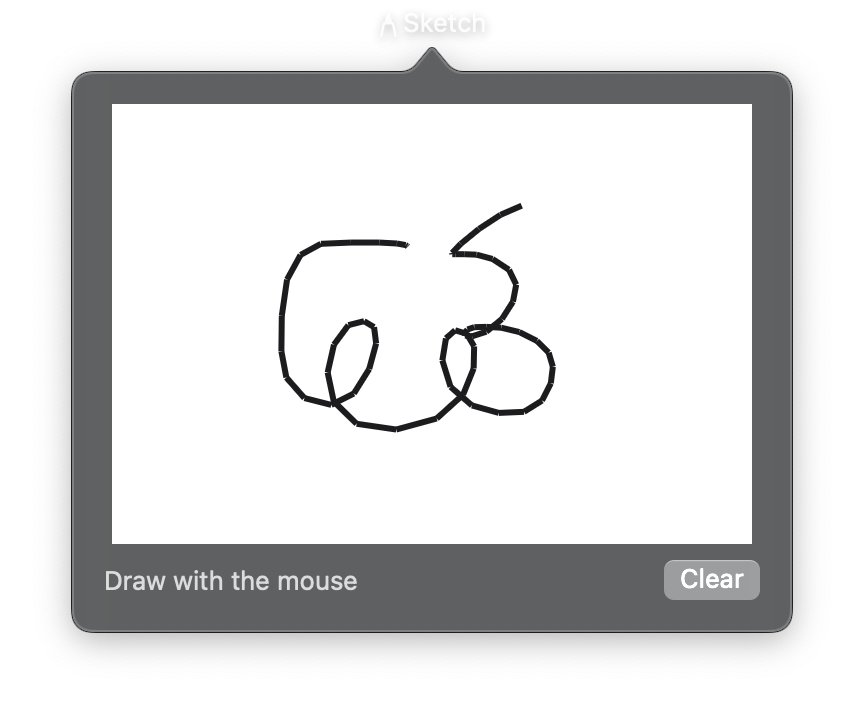
import nib


def main(app: nib.App):
    app.title = "Sketch"
    app.icon = nib.SFSymbol("pencil.tip")
    app.width = 360
    app.height = 300

    canvas = nib.Canvas(width=320, height=220, background_color="#ffffff")
    last = None

    def on_pan_start(e):
        nonlocal last
        last = (e.x, e.y)

    def on_pan_update(e):
        nonlocal last
        canvas.append(
            nib.draw.Line(
                x1=last[0], y1=last[1], x2=e.x, y2=e.y, stroke="#1c1c1e", stroke_width=3
            )
        )
        last = (e.x, e.y)

    canvas.on_pan_start = on_pan_start
    canvas.on_pan_update = on_pan_update

    app.build(
        nib.VStack(
            controls=[
                canvas,
                nib.HStack(
                    controls=[
                        nib.Text(
                            "Draw with the mouse", foreground_color=nib.Color.SECONDARY
                        ),
                        nib.Spacer(),
                        nib.Button("Clear", action=canvas.clear),
                    ]
                ),
            ],
            spacing=8,
            padding=16,
        )
    )


nib.run(main)
Related
- Canvas
- Draw Module
- Path & Shape:
Shapeview - Drawing App