Capsule
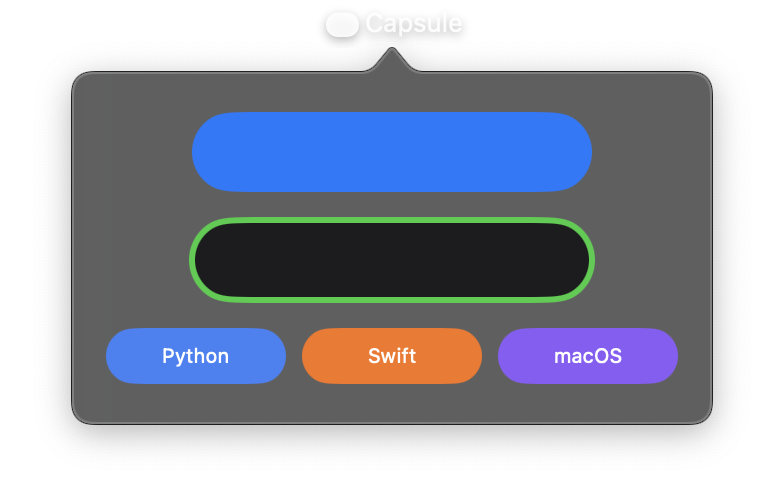
A pill-shaped rectangle where the shorter dimension is completely rounded. Capsules are commonly used for buttons, tags, badges, and other UI elements that need a smooth, rounded appearance.
For horizontal capsules (width > height), the ends are semicircles with radius equal to half the height. For vertical capsules (height > width), the ends are semicircles with radius equal to half the width. This differs from Rectangle with corner_radius, which uses a fixed corner radius regardless of dimensions.
Constructor
nib.Capsule(
    fill=None,
    stroke_color=None,
    stroke_width=None,
    **modifiers,
)
Parameters
| Parameter | Type | Default | Description |
|---|---|---|---|
fill |
str | Color |
None |
Fill color for the capsule interior. Accepts hex strings, named colors, or Color instances. |
stroke_color |
str | Color |
None |
Outline colour, drawn along the capsule's edge. |
stroke_width |
float |
None |
Width of the stroke in points. |
**modifiers |
Common view modifiers: width, height, padding, opacity, animation, etc. |
Examples
Basic capsule shapes
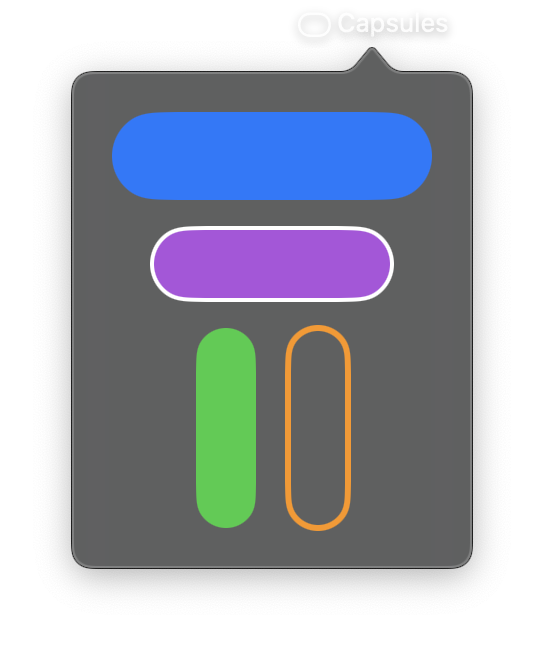
import nib


def main(app: nib.App):
    app.title = "Capsules"
    app.icon = nib.SFSymbol("capsule")
    app.height = 270

    app.build(
        nib.VStack(
            controls=[
                nib.Capsule(fill=nib.Color.BLUE, width=160, height=44),
                nib.Capsule(
                    fill=nib.Color.PURPLE,
                    stroke_color=nib.Color.WHITE,
                    stroke_width=2,
                    width=120,
                    height=36,
                ),
                nib.HStack(
                    controls=[
                        nib.Capsule(fill=nib.Color.GREEN, width=30, height=100),
                        nib.Capsule(
                            stroke_color=nib.Color.ORANGE,
                            stroke_width=3,
                            width=30,
                            height=100,
                        ),
                    ],
                    spacing=16,
                ),
            ],
            spacing=14,
            padding=20,
        )
    )


nib.run(main)
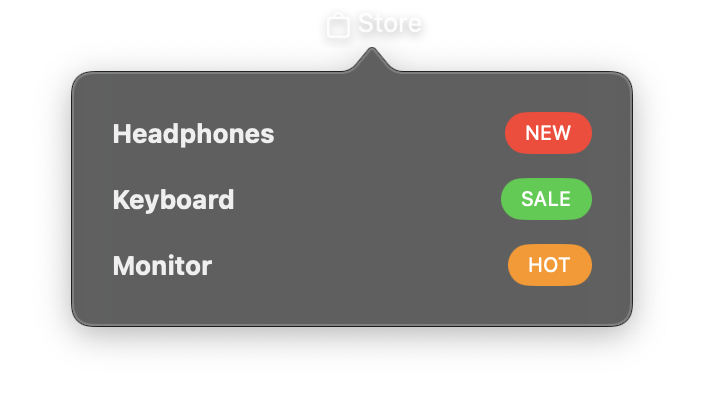
Tag / badge with capsule background
Use a Capsule as the background for text to create pill-shaped labels.
import nib


def main(app: nib.App):
    app.title = "Store"
    app.icon = nib.SFSymbol("bag")

    def badge(text, color):
        return nib.Text(
            text,
            font=nib.Font.CAPTION,
            foreground_color=nib.Color.WHITE,
            padding={"horizontal": 10, "vertical": 4},
            background=nib.Capsule(fill=color),
        )

    app.build(
        nib.VStack(
            controls=[
                nib.HStack(
                    controls=[
                        nib.Text("Headphones", font=nib.Font.HEADLINE),
                        nib.Spacer(),
                        badge("NEW", nib.Color.RED),
                    ]
                ),
                nib.HStack(
                    controls=[
                        nib.Text("Keyboard", font=nib.Font.HEADLINE),
                        nib.Spacer(),
                        badge("SALE", nib.Color.GREEN),
                    ]
                ),
                nib.HStack(
                    controls=[
                        nib.Text("Monitor", font=nib.Font.HEADLINE),
                        nib.Spacer(),
                        badge("HOT", nib.Color.ORANGE),
                    ]
                ),
            ],
            spacing=12,
            padding=20,
            width=240,
        )
    )


nib.run(main)
Related
- RoundedRectangle
- Circle
- Styling:
background=andclip_shape=